Case study 04 / 04 · Document Manager
CASE STUDY 04 / 04
Privacy by designInteraction designUX writing

Share deal documents only with the people who should see them.

Document Manager lets buyers and sellers on Mbizmarket store, share and download documents in one place, with access control and user consent that follow Indonesia’s personal data protection law.

Role
Lead UI/UX Designer
Platform
Web · buyers & sellers
Users
Every buyer and seller
Regulation
Personal data protection (UU PDP)
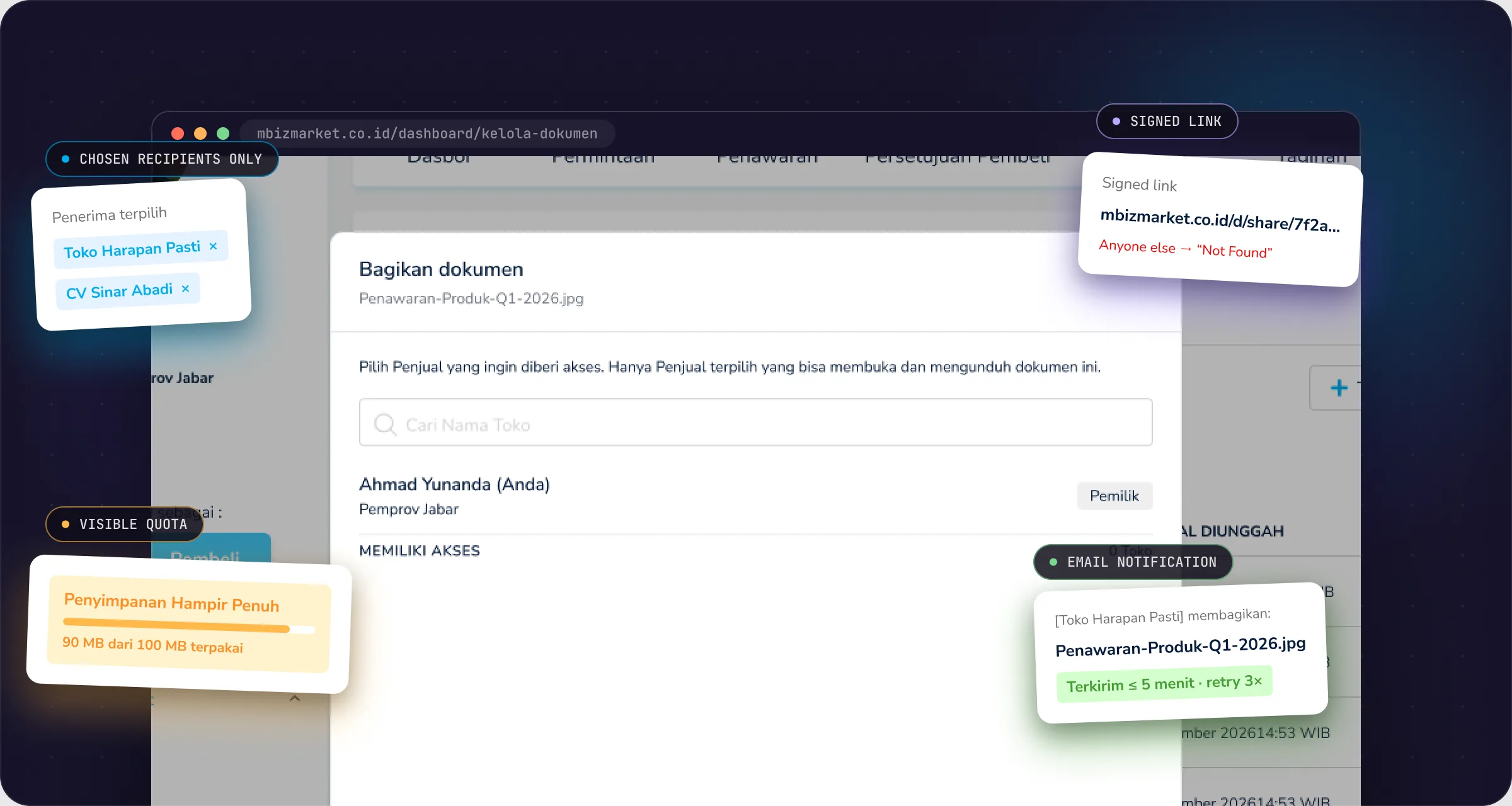
Document Manager: annotated product screen

Real screen from the Document Manager design file. All company and user data is fictional.

The 30-second version
The problem

Quotes, contracts and POs travelled through chat and personal email. Nobody knew who held a copy, or whether it was okay to share.

What I did

Consent before anything else, sharing tied to a store name with signed links, one honest delete-revokes-all rule, and a quota warning before it’s too late.

The result

Documents in one place, links that only open for the right people, and an audit trail ready for disputes.

Impact

From documents scattered across chat to one place you can audit.

BEFORESent over chat and personal email
−40%

fewer procurement documents sent over chat and personal email, according to a user survey.

BEFORELinks forwarded to anyone
0 reported

link leaks since launch. A link only opens for the recipients you picked, and every open is logged.

BEFOREStorage full, found out when an upload fails
−60%

failed uploads from full storage, because the warning shows up at 90%.

The numbers behind Document Manager
850+companies active in the first 6 months
5,200+documents shared through signed links
−20%support tickets about sending or re-requesting documents
20 secon average to share a document, from opening the dialog to hitting Share
Who it’s for

Both sides send, both sides receive.

Every procurement deal comes with paperwork: quotes, contracts, purchase orders, certificates. Before Document Manager, these moved through chat and personal email, so nobody knew who held a copy or whether it was okay to share.

B

Buyers

Upload documents and share them with specific sellers.

S

Sellers

Do the same with buyers, using the exact same flow.

R

Recipients

Get an email, open the link after logging in, then download.

The problem

Quick to share, but it can’t leak.

A document-sharing feature is easy to build fast. The hard part is making it safe without making it annoying: documents can contain personal data, links get forwarded, and a downloaded file can never be pulled back.

Privacy

Documents can contain other people’s personal data

Users need to understand their responsibility before uploading or sharing, and their consent has to be on record.

Access control

A link anyone can open is a leak

Access has to be tied to a specific store or company, and once a file is downloaded, it’s out there.

Technical limits

10 MB per file, 10 formats, 100 MB per company

No in-browser preview yet, so looking at a document means downloading it.

Who wins

One feature, three winners.

Buyers and sellers swap documents faster, and Mbizmarket has a clear trail when there’s a dispute or an audit.

Buyers

Procurement documents no longer scattered in chat.

−1 dayto exchange documents per deal
  • Shared only with the sellers you choose
  • An icon marks what you’ve already shared
  • Date filter and search by file name
  • Documents from sellers collected in “Shared with me”
Sellers

Know exactly when a document arrives, and from whom.

64%of shared documents opened the same day
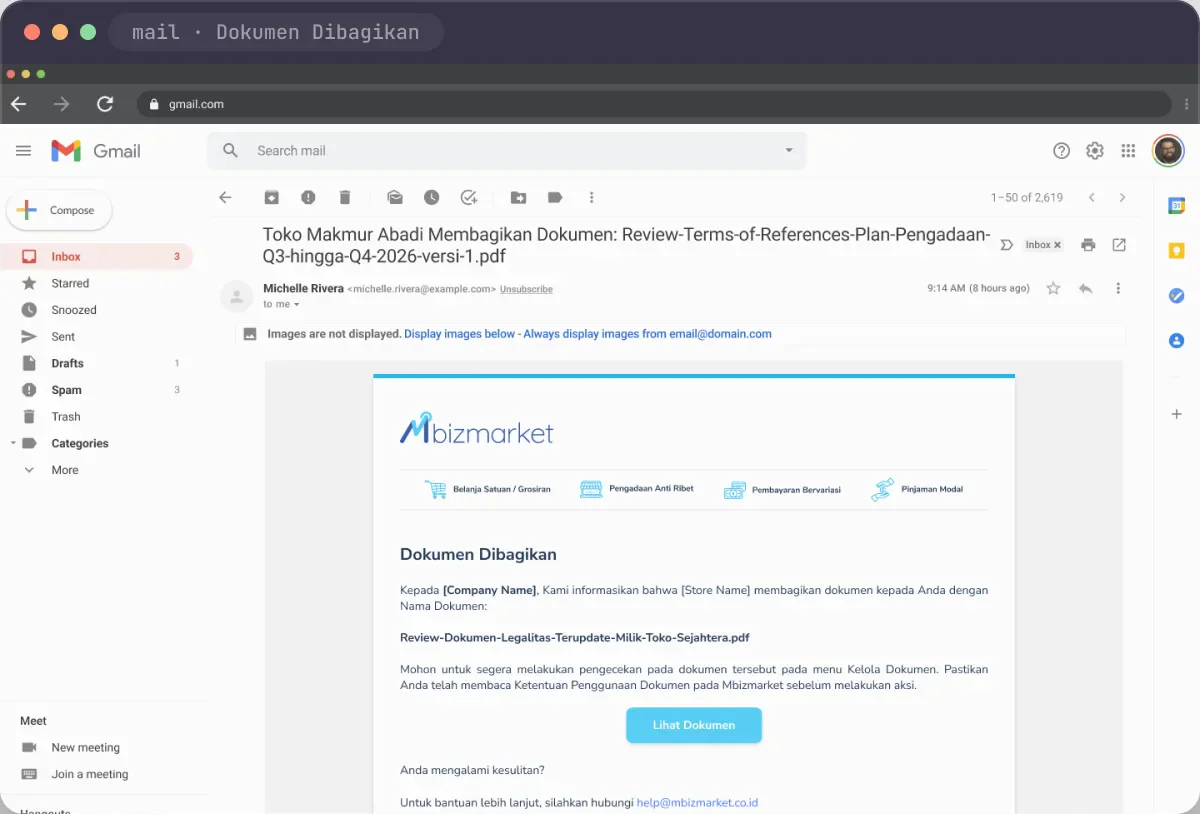
  • A unique email subject: [sender] shared [file name]
  • The email button goes straight to “Shared with me”
  • Same upload and share flow as buyers
  • Documents shared with you don’t eat your storage
Mbizmarket

Ready for disputes and audits.

−15%time to resolve document disputes
  • User consent stored with a timestamp
  • Download links only open for people with access
  • Deleting a document kills every active link
  • A 100 MB quota per company keeps storage costs sane
Key decisions

Four decisions that shaped Document Manager.

01

Consent first, features second.

The call
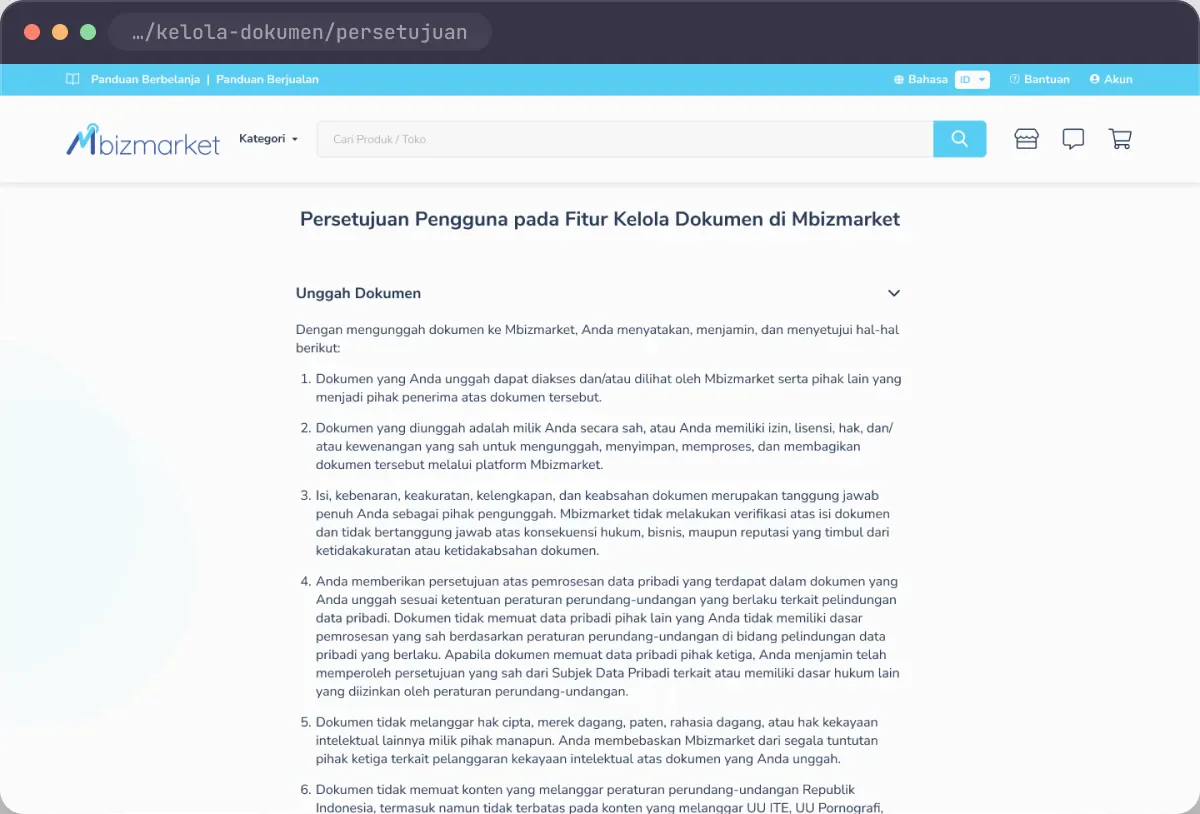
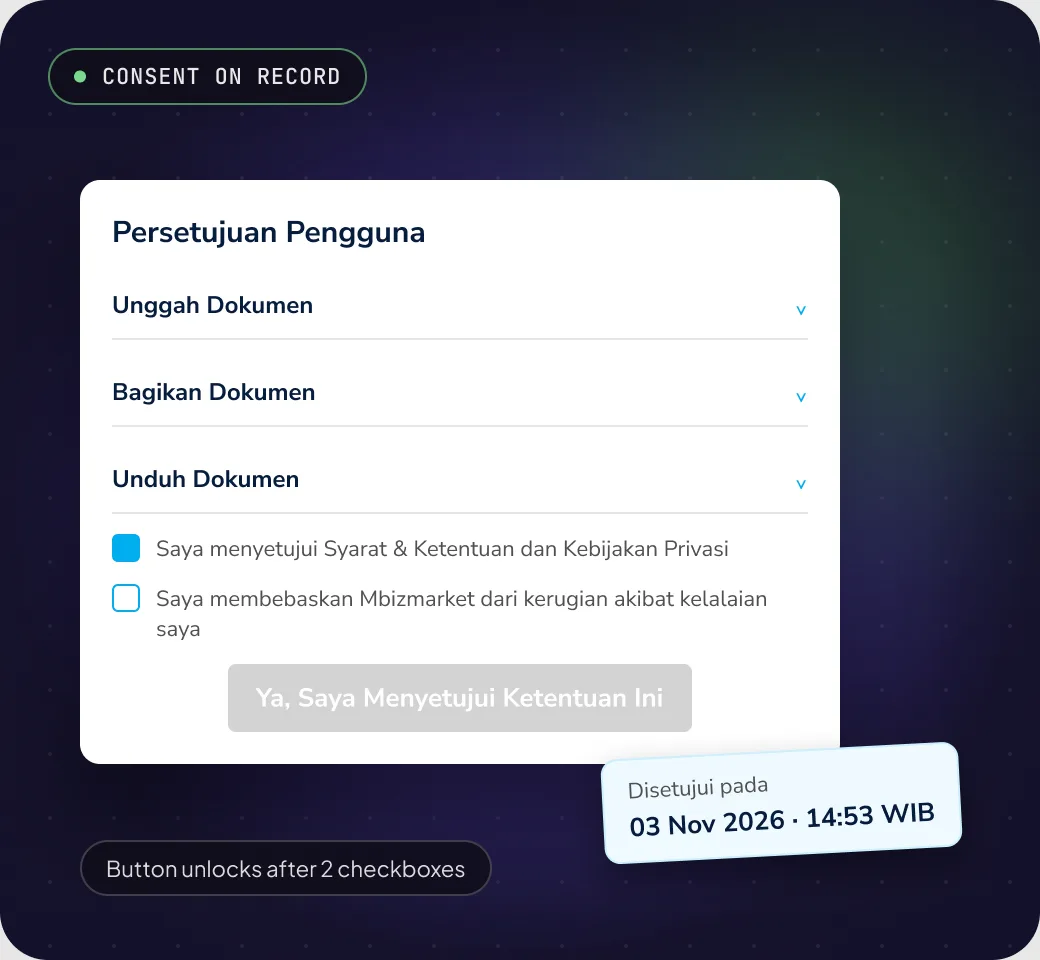
The first time someone opens Document Manager, they see a consent screen split by action: Upload, Share, Download. Two checkboxes have to be ticked before the button unlocks. Later visits show a read-only version with the time of consent.
Why
Documents can contain other people’s personal data. Users need to understand their responsibility first, and Mbizmarket needs proof that consent was given.
Trade-off
One extra step on the first visit. The text is grouped by action and collapsible, so it doesn’t feel like a wall of terms and conditions.
Decision 1: Consent first, features second.
02

Share to a store name, not to whoever has the link.

The call
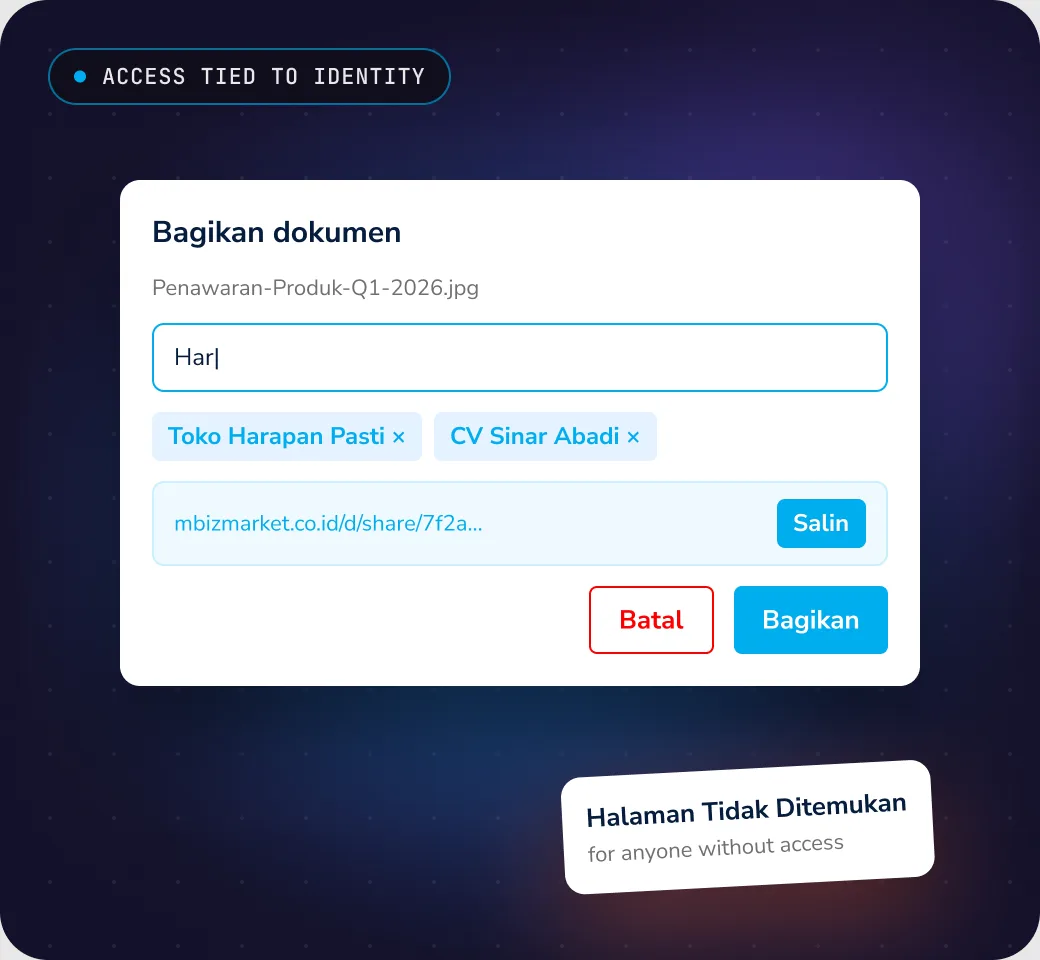
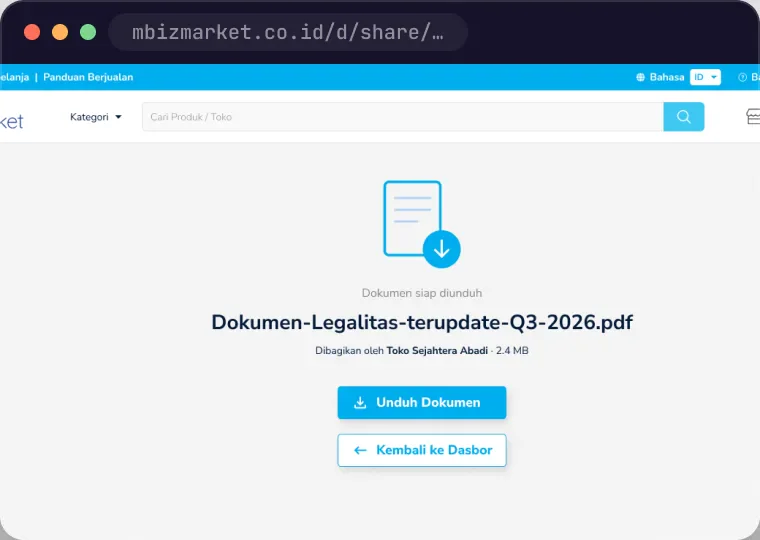
Recipients are picked by typing at least 3 letters of a store or company name, and show up as chips. The copied link is a signed link: it only opens for chosen recipients who are logged in. Everyone else sees Not Found.
Why
A link anyone can open will travel to other group chats with zero control. Tying access to the recipient’s identity makes “who can see this” clear from the start.
Trade-off
Recipients have to log in, and the link can only be copied after choosing them. A little slower than just firing off a link.
Decision 2: Share to a store name, not to whoever has the link.
03

Delete means revoking everyone’s access.

The call
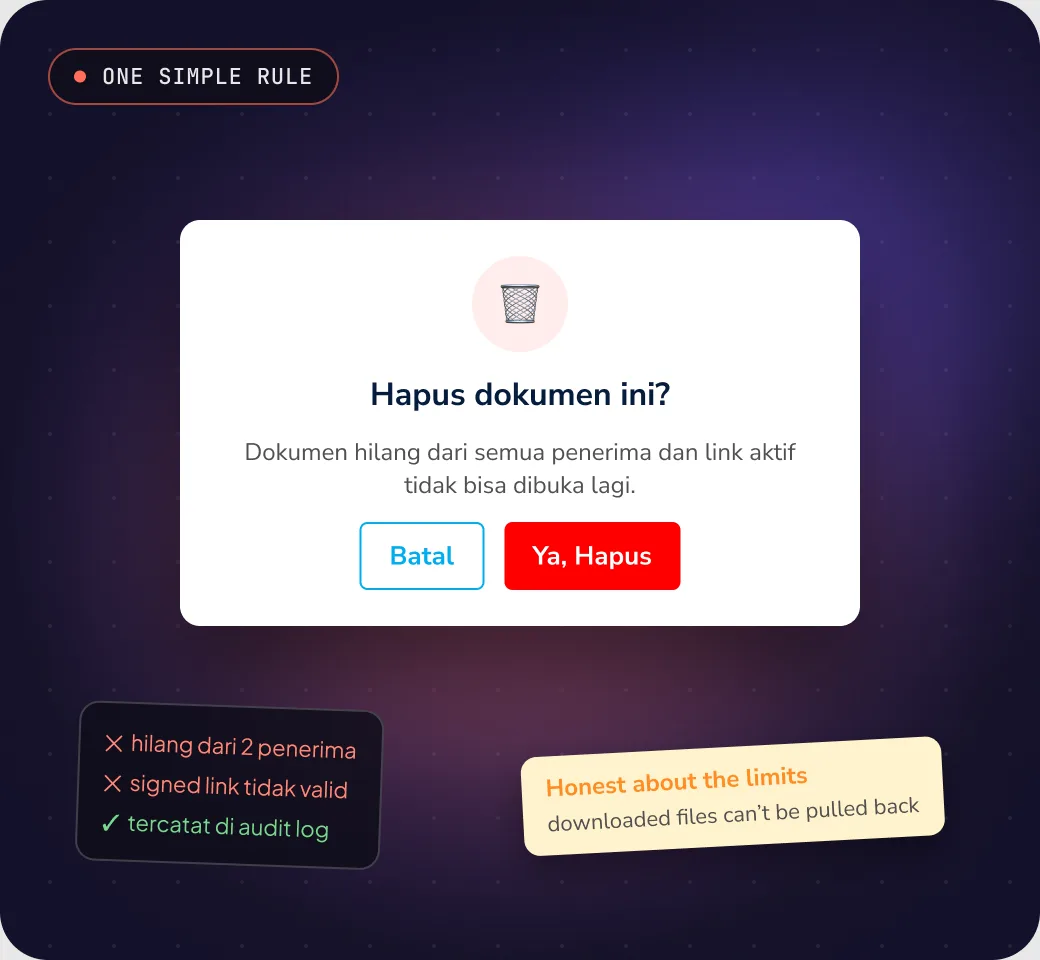
There’s no per-recipient unshare. Deleting a document removes it for everyone, kills every active link and logs it in the audit trail. The confirmation says plainly that files already downloaded can’t be pulled back.
Why
Unsharing one person gives a false sense of security, because their downloaded copy still exists. One simple, honest rule is easier to understand, and to explain when there’s a dispute.
Trade-off
To remove just one recipient, you delete and share again with the others. That’s why a “double-check your recipients” reminder sits right before the Share button.
Decision 3: Delete means revoking everyone’s access.
04

Show the quota before it’s full.

The call
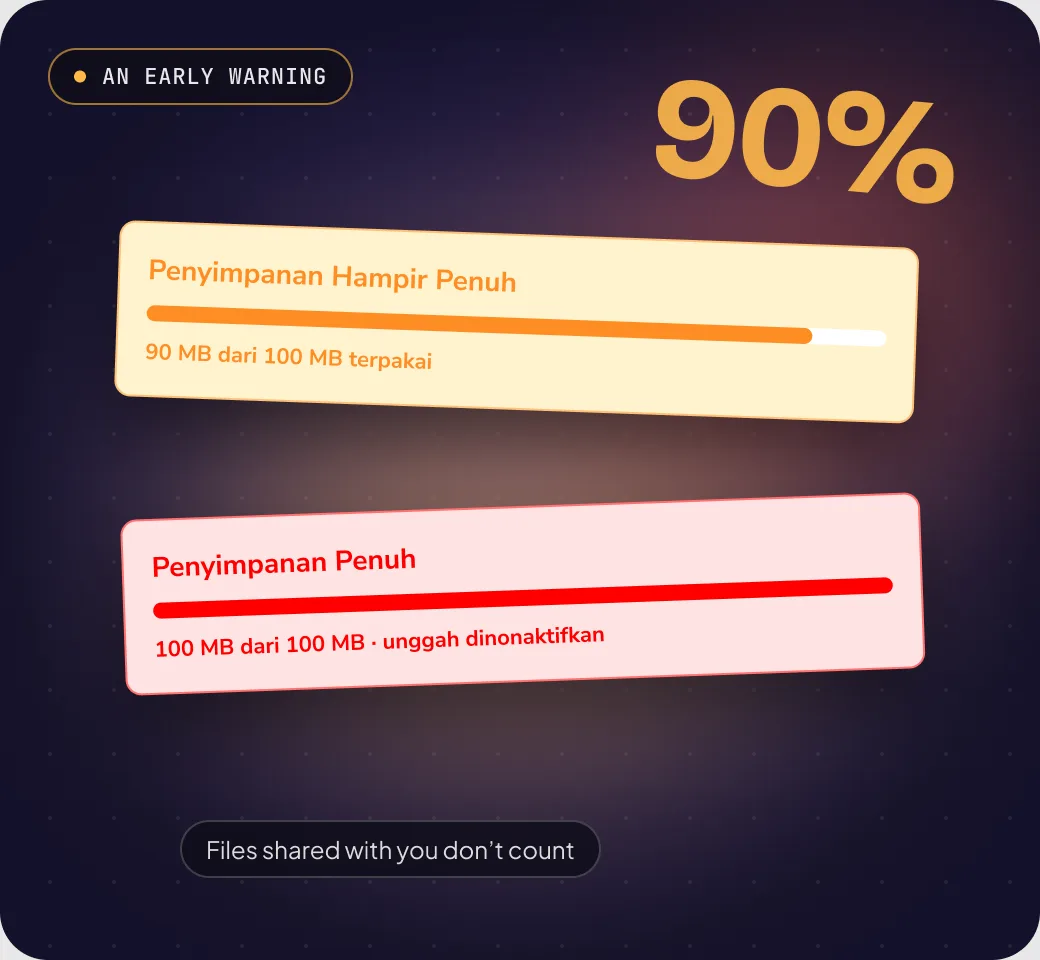
A yellow banner appears when company storage hits 90%, with a progress bar and the MB count. At 100%, uploads are blocked until something’s deleted. Documents others shared with you don’t count.
Why
Without a warning, people discover the quota when an upload fails, usually at the worst possible moment. Telling them early gives them time to tidy up.
Trade-off
The banner adds height to the page, so it only shows from 90% up. Below that, the quota isn’t shown at all.
Decision 4: Show the quota before it’s full.
Process

From “just send it on WhatsApp” to sharing you can stand behind.

A normal UX process, plus one question on every screen: if this document leaks, was the user warned enough?

Step 1

Understand

I mapped how deal documents move today, and where they can end up in the wrong hands.

Step 2

Map the flow

Consent up front, then upload, share, notify, download and delete. One flow for buyers and sellers.

Step 3

Design & write

Six touchpoints, with copy that explains the consequences at the right moment, not in a help page.

Step 4

Test the unhappy paths

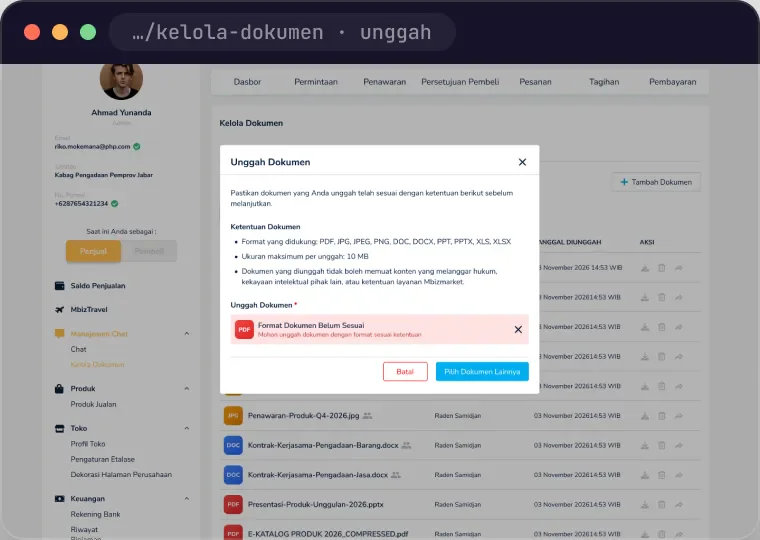
Every error got its own screen: wrong format, file too big, connection lost, storage full, access denied.

Looking back
“Every download is a copy you can’t take back.”

The first release has no in-browser preview, so people download a file just to see what’s inside. Preview is the most impactful next step for privacy: fewer downloads, fewer copies floating around out of control.

Screens

From first consent to the recipient’s inbox.

Real screens from the Document Manager design file. All data is fictional.

Landing & consent
01Landing & consent
Notification email
02Notification email
Upload error
03Upload error
What outsiders see: Not Found
04What outsiders see: Not Found